 Curator
29 September, 2026
Curator
29 September, 2026
Practical Graphic Design: Why You Must Master Layer Masks
You use the Eraser Tool on an image, realize you erased too much, and have to hit Undo over and over again. One slip of your hand, and all your hard work is gone.
You want to blend a smooth gradient background into your poster, but you end up with harsh, jagged edges that look amateurish.
You want to test different compositing ideas, but because you edited the original pixels directly, there is no way to turn back.
Fixing every single one of these headaches comes down to mastering one core feature: the Layer Mask.
Think of a Layer Mask as placing a sheet of controllable glass over your artwork:
Paint with black, and the glass turns transparent, revealing the layer below.
Paint with white, and the glass becomes opaque, restoring your original pixels.
Paint with gray, and the glass turns semi-transparent, creating a seamless, soft blend.
The entire workflow is completely non-destructive. Made a mistake? Just brush over it with white to bring it back. No more spamming Undo. It is the ultimate safety net in commercial design.
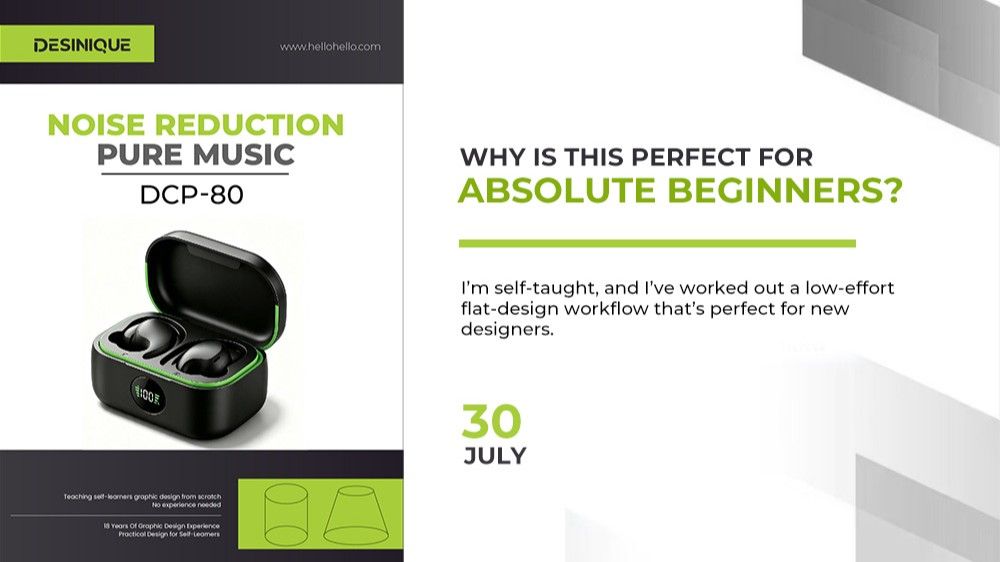
Take our headphone poster as a clear example. By using a Layer Mask, we created a seamless transition between the solid black background and the neon green base. It breaks up a boring layout without leaving harsh cut lines, instantly elevating the entire visual with a sleek, polished edge.
The power of a Layer Mask goes far beyond simple blending. From product cutouts and lighting composites to creative typography effects, almost any layout requiring seamless transitions depends on it.
Why You Must Master Layer Masks
100% Non-Destructive Editing
Every edit applies strictly to the mask, leaving your raw layer completely untouched. You never have to worry about accidentally destroying your source file again.
Effortless Soft Transitions
Paired with the Brush Tool, you can easily create soft gradients, feathering, and realistic lighting effects that look ten times cleaner than anything made with the Eraser Tool or basic selection borders.
Frictionless Revisions Without Starting Over
Not happy with the result? Tweak your brush color, opacity, or flow whenever you want. You never have to delete your layers and start from scratch, which doubles your production speed.
Many beginners think masks are intimidating, but you only need to remember one simple rule: Black conceals, white reveals, and gray blends. That single principle covers 80% of your daily design workflow.
Popular