 Curator
3 October, 2026
Curator
3 October, 2026
The Practical 1/3 Method for Photoshop Beginners: Common Layer Mistakes to Avoid
Once you move into production, organizing your layer structure becomes the real secret to working fast and staying efficient. Whether you are laying out promotional flyers or creating clean minimalist social media graphic design, establishing a disciplined workflow keeps your creative logic intact. Mastering this organization is an essential photoshop tools for poster design skill that sets true professionals apart.
5 Critical Layer Mistakes Every Beginner Must Avoid
Adopting clean habits early on will accelerate your output and make client revisions completely painless down the road:
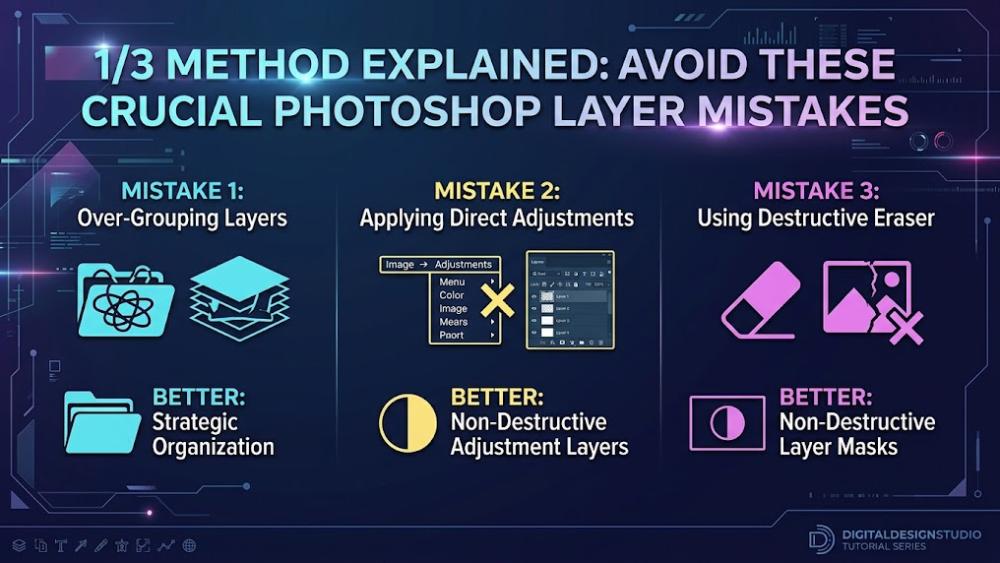
Never Edit Directly on the Background Layer: Working destructively on your base image prevents you from performing non-destructive fixes later. Before starting, always click the Create a new layer button at the bottom of the panel, or duplicate the base using Ctrl + J on Windows or Cmd + J on Mac.
Maintain Modular Layer Separation: Keep each distinct element isolated on its own layer, strictly separating your Background, Subject, Type, and Decorative elements. Never cram different design assets onto a single shared layer.
Avoid Merging Layers Too Early: As long as there is any chance you might need to adjust an asset later, use Layer Groups via Ctrl + G on Windows or Cmd + G on Mac instead of committing to an irreversible Merge command.
Make Layer Naming a Reflex: Double-click layer names immediately to assign descriptive labels such as Title_Headline or Product_Hero. When your project scales up, clear labels will save you from endless scrolling.
Hide or Purge Unused Layers: Click the Toggle Layer Visibility eye icon next to a layer to turn off elements you are not currently reviewing. For any assets you know you will never use again, drag them straight to the Delete Layer trash can to keep your PSD file lean and Photoshop running smoothly.
Workflow Takeaway:
Disciplined layer organization eliminates countless hours of tedious rework. Always duplicate your base assets, name your layers promptly, and you will retain complete creative freedom throughout every stage of your design.
Popular